RealEstateManagementSoftware,BuiltforEveryFile
Manage customers, dealers, property inventory, instalment plans, balloting, file merging, refunds, and GIS-based property tracking in one ERP system built for real estate and construction businesses.
See Real Estate Management ERP in Action
See how Multi-Techno ERP connects customer records, dealer deals, property registration, and instalment tracking in one real estate workflow giving your team better control from file opening to plot possession.
The route a property file takes
From customer intake to reporting nine stages, one connected system.
- 01
Setup: Files, Customers & Dealers
Customers, dealers, instalment plans, and property definitions.
- 02
Property Registration
File opened and registered against a property.
- 03
Instalment Payments
Payments tracked against the customer instalment plan.
- 04
Balloting
Plot numbers assigned through balloting.
- 05
File Merging
Multiple files merged where applicable.
- 06
Refund Processing
Refund requests, intimation, and refund payments.
- 07
GIS Mapping
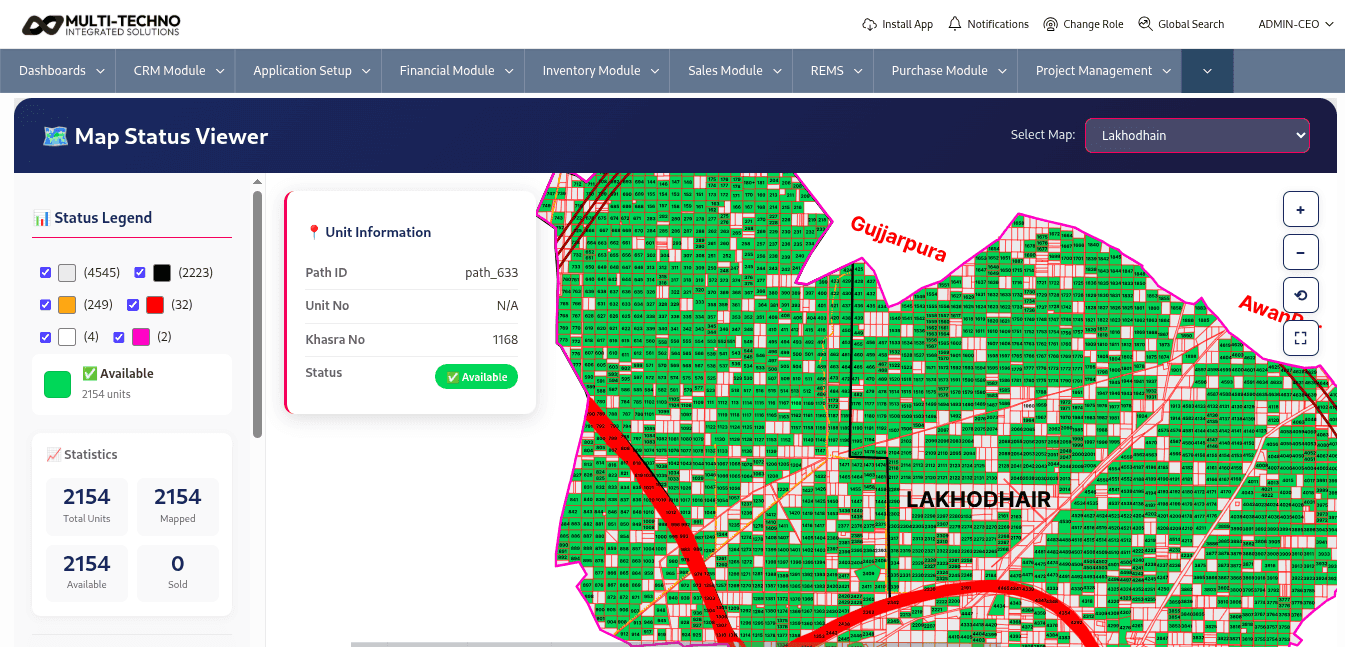
Plots and blocks tracked on a GIS-based map.
- 08
Customer Portal
Customers view file status and instalments online.
- 09
Reporting & Analytics
REMS and dealer reports across the whole portfolio.
Plot Tracking & GIS Mapping
See every block, sector, and plot on a GIS-based map, so management and field teams always know exactly which units are available, sold, or under process without walking the site.
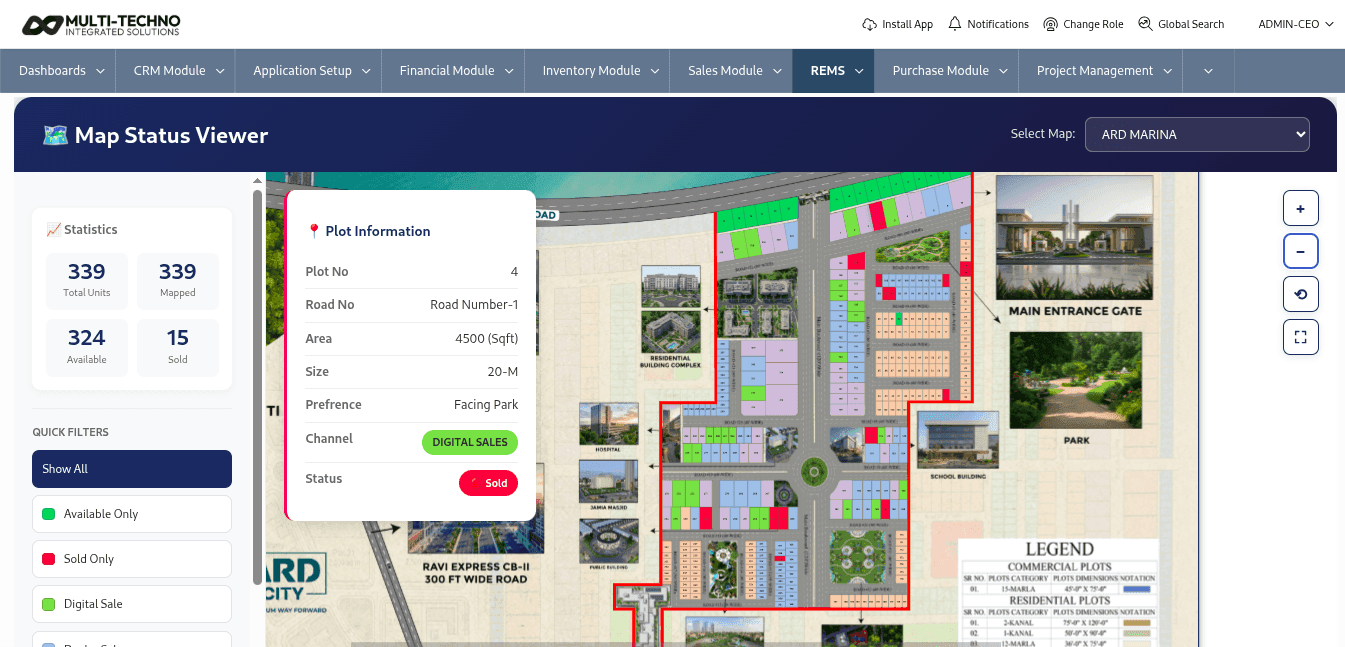
- Track blocks, sectors, and plots on a GIS-based map
- See availability and sale status directly on the map
- Link map plots back to their property registration file
Property Registration & Instalment Payments
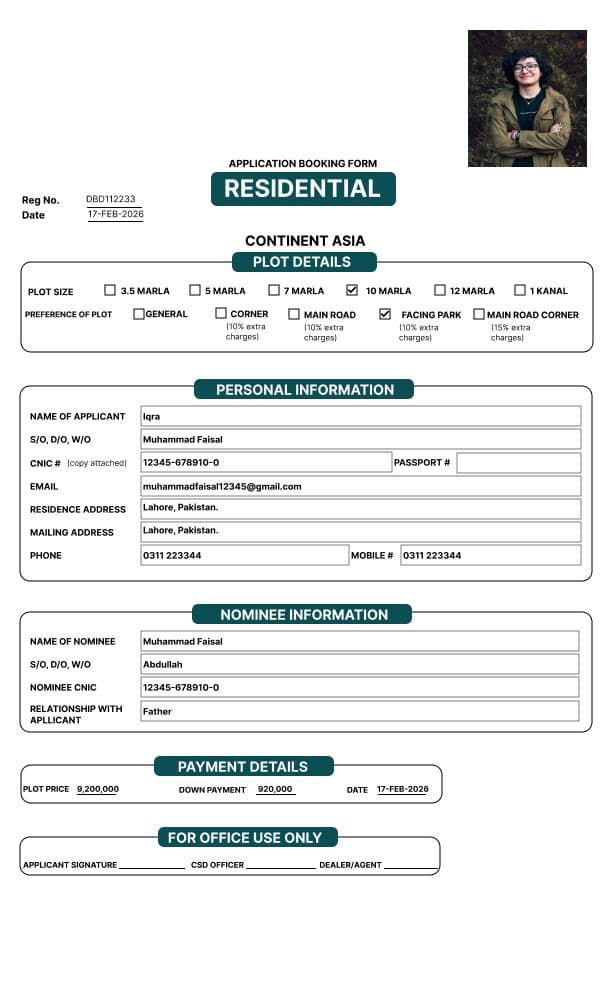
A property file is opened and registered against the customer and property. Multi-Techno ERP then tracks every instalment payment against that file, so recovery status is always up to date without manual ledgers.
- Open and register a property file against a customer and property
- Record instalment payments against the registered file
- Keep recovery and outstanding balances up to date automatically

Balloting, File Merging & Refund Processing
Multi-Techno ERP supports the full back-office workflow after registration plot numbers assigned through balloting, files merged where a customer holds multiple units, and refunds processed with intimation and refund payment tracking when a file is cancelled.
Run balloting and assign plot numbers to registered files
Merge multiple files for the same customer where applicable
Process property refunds with refund intimation and refund payment

Land GIS Mapping & Customer Portal
Give customers self-service access to their file status, instalment schedule, and payment history through a dedicated customer portal reducing office visits and follow-up calls.
- Customers check file status and instalments without calling the office
- View payment history and upcoming instalment due dates
- Reduce manual follow-ups from the recovery team
REMS & Dealer Reports
Pull property registration, recovery, instalment forecasting, and dealer ledger reports directly from live data ready without reconciling spreadsheets across departments.
Explore Related ERP Solutions
Explore the ERP modules connected with this industry.
Related Blogs

ERP Software for Real Estate and Construction Industry
Construction Management, Real Estate Management, Project Management
The real estate and construction industry is one of the most complex and fast-moving sectors, where every project depend...

Streamline Your Construction Business with an ERP System
Construction Management, Project Management, Document Management, Asset Management
How Construction ERP Software Streamlines Modern Construction OperationsThe construction industry operates in one of the...

Transforming the Real Estate Industry with a Real Estate Management System
Real Estate Management, Construction Management
The real estate industry has become far more complex than simply buying, selling, or managing properties. Modern real es...
Frequently Asked Questions
01What is real estate management ERP software?
Real estate management ERP software connects customer files, dealer deals, property registration, instalment payments, balloting, refunds, and reporting in one system for real estate and construction businesses.
02Can Multi-Techno ERP manage instalment plans for customers?
Yes. Customers can be defined with an instalment type and instalment plan, and every payment is tracked against that plan.
03Does the ERP system support dealer deals and commissions?
Yes. Dealer types, dealers, and dealer deals can be defined, with dedicated dealer ledger, commission, and closing reports.
04Can the ERP handle balloting and plot assignment?
Yes. Registered files can go through balloting, with plot numbers assigned directly against the customer file.
05Can I process property refunds through the ERP?
Yes. Property refund, refund payment, and refund intimation are tracked as part of the property registration workflow.
06Does Multi-Techno ERP offer a customer portal?
Yes. Customers can access a portal to check their file status and instalment details without contacting the office directly.
07Does Multi-Techno ERP also work as property management software?
Yes. Beyond file registration and instalments, Multi-Techno ERP covers property inventory, dealer management, and reporting — the core functions expected from property management software.
Book Your Free Demo
Fill out the form below and we'll be in touch shortly.