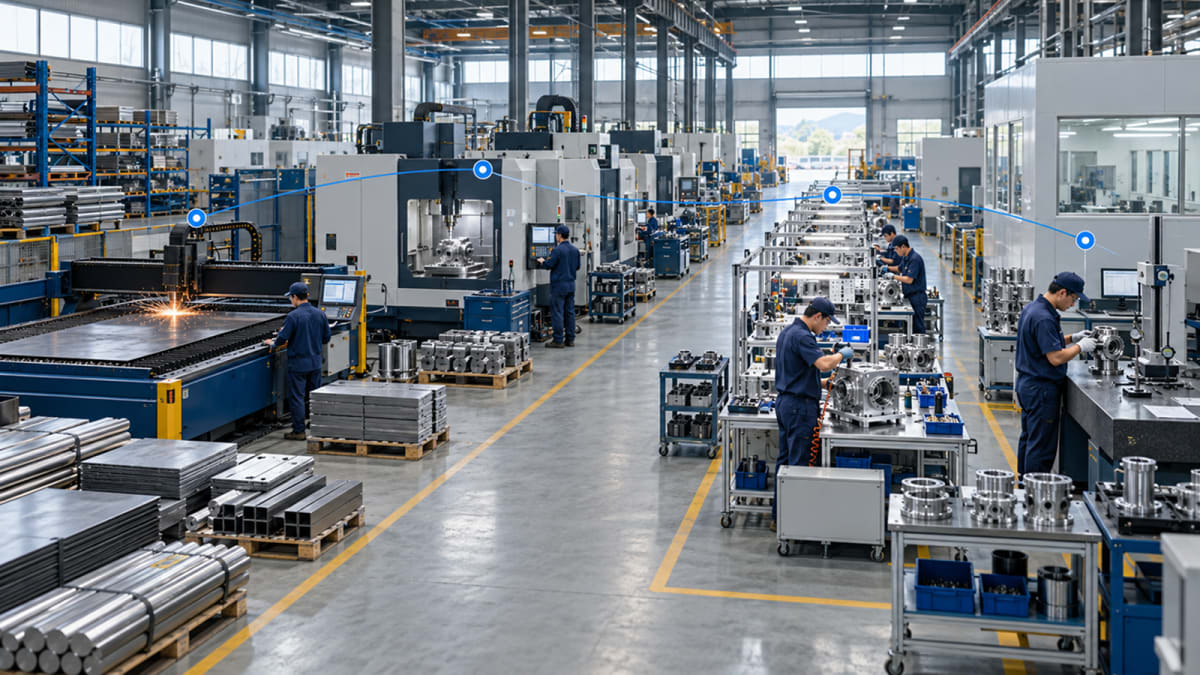
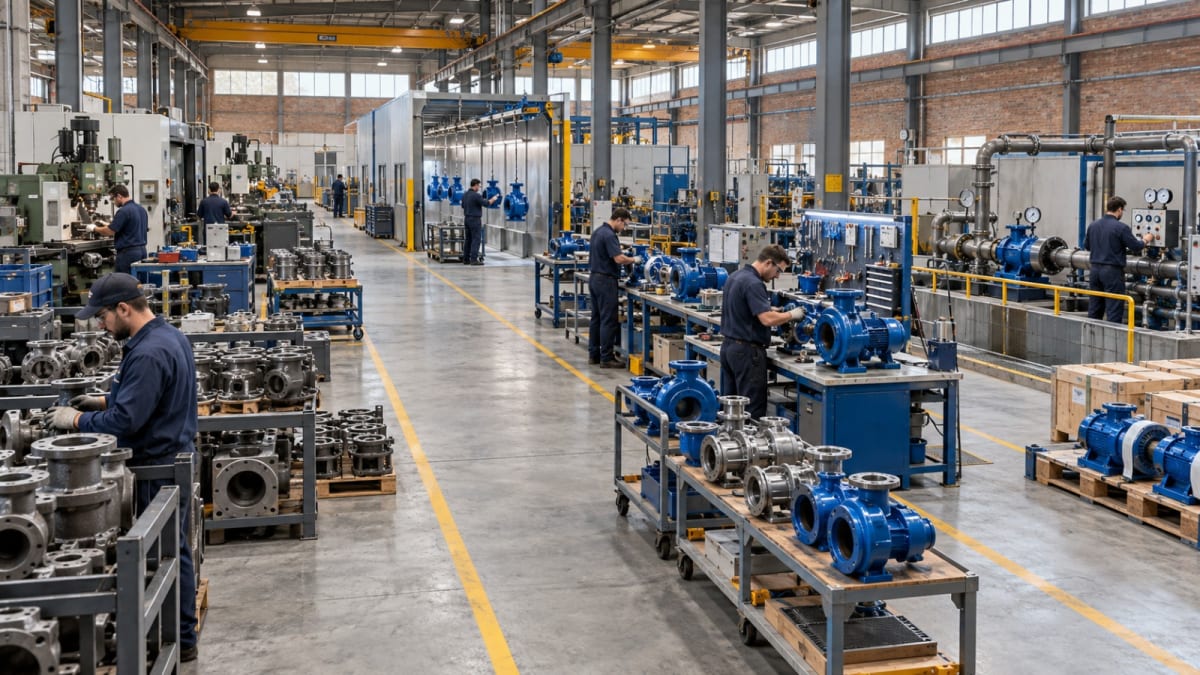
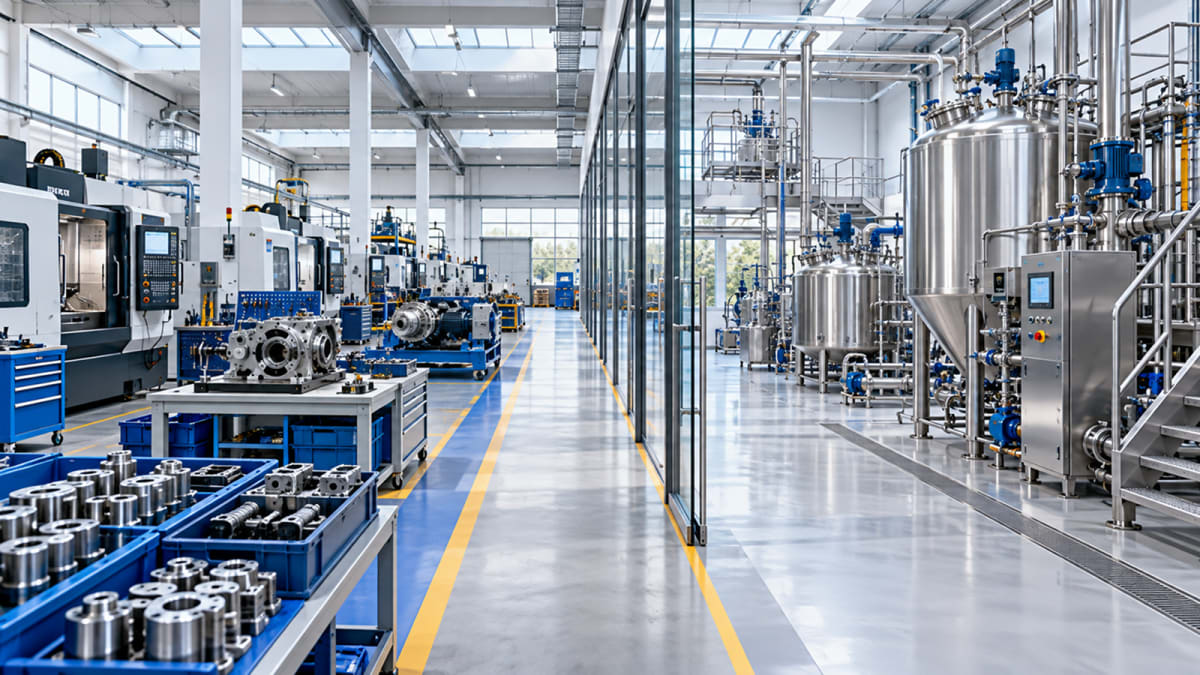
Manufacturing Routing in ERP: How to Map Your Real Production Process
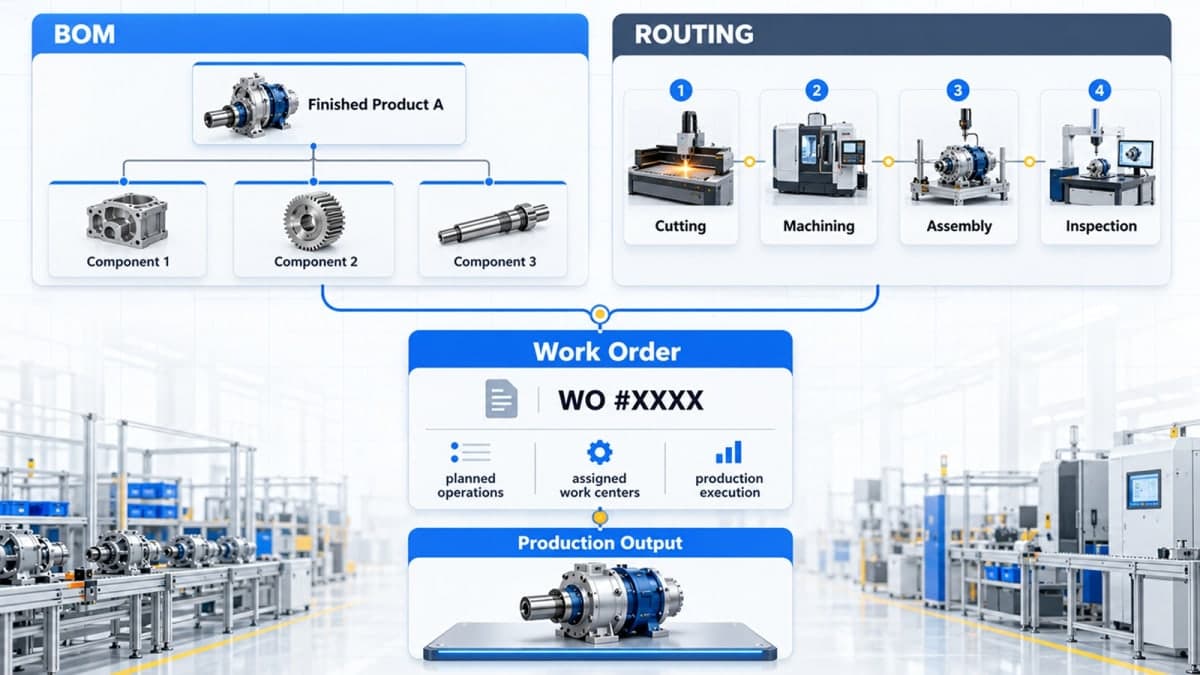
Manufacturing routing in ERP defines the sequence of operations a product follows during production, including the work centers and machines involved at each stage. When routing reflects the actual factory process, it helps connect production planning, BOMs, work orders and shop-floor reporting in one workflow.
What Is Manufacturing Routing in ERP?
A manufacturing routing defines how a product moves through production. In manufacturing systems, a routing is used to define the sequence of operations required to produce a product.
While a Bill of Materials tells the ERP what materials and components are required, routing defines the operations needed to turn those materials into a finished product. A routing can specify the production sequence, work center, machine or resource involved, and other information required to organize the manufacturing process.
For example, a product might follow this sequence:
Cutting → Machining → Assembly → Inspection → Packing
Another product in the same factory may follow a completely different route:
Cutting → Heat Treatment → Machining → Inspection → Assembly
That difference is exactly why routing matters. Production does not always follow one universal sequence.
In an manufacturing ERP system, routing becomes part of the production structure before the work reaches the shop floor.
What Does a Manufacturing Routing Actually Define?
A routing is more than a list of production steps. It gives the ERP a structured view of how those steps are performed.
Routing Element | What It Defines |
|---|---|
Operation | What production activity needs to be performed |
Sequence | The order in which operations are completed |
Work Center | The production area or resource group responsible for an operation |
Machine | The specific machine or production resource involved |
Processing Time | How long an operation is expected to take |
Next Operation | Where the product moves after the current step |
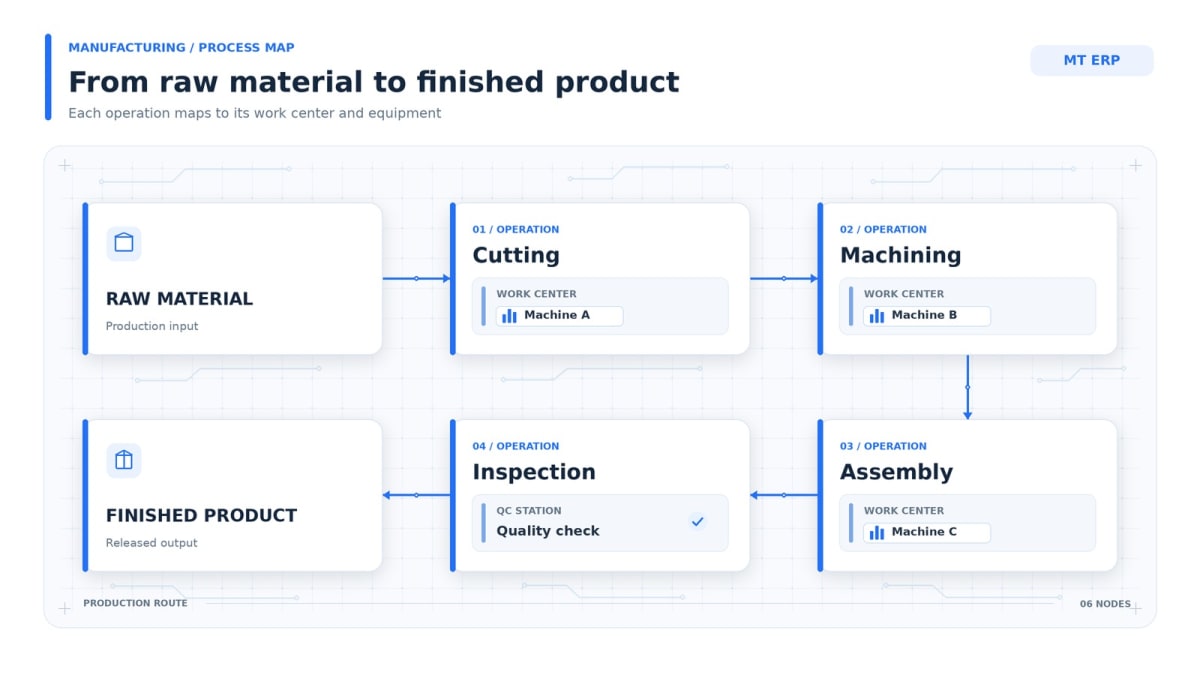
Consider a simple manufacturing process:
Raw Material
↓
Cutting — Work Center A — Machine 01
↓
Machining — Work Center B — Machine 04
↓
Assembly — Work Center C — Machine 07
↓
Inspection — Quality Station
↓
Finished Product
The routing turns this sequence into structured production information instead of leaving the process dependent on a separate spreadsheet or a supervisor's memory.
How Routing Connects With a Bill of Materials and Work Orders
A routing does not replace a BOM. The two solve different parts of the same production problem.
A Bill of Materials (BOM) defines the materials, components and quantities required to make a product. Routing defines the operations and sequence through which that product is produced.
Put simply:
BOM = What is required
Routing = How it is produced
Work Order = What needs to be produced and executed
When these elements are connected, the production workflow becomes easier to follow:
BOM + Routing → Work Order → Production Operations → Finished Product
For example, suppose a manufacturer produces a metal assembly.
The BOM may contain:
Steel sheet
Fasteners
Bearings
Machined components
The routing may define:
Cutting
Machining
Surface treatment
Assembly
Inspection
The work order then brings the product requirement into production using the defined structure.
This relationship is particularly important when manufacturers move beyond simple assembly and need to manage multiple production stages, machines or work centers.
Manufacturing Routing vs. a Fixed Production Template
Manufacturing processes rarely remain identical across every product.
Even within the same factory, two products may use different machines, require different operations, or skip certain production stages.
For example:
Product A
Cutting → Machining → Assembly → Inspection
Product B
Cutting → Welding → Surface Treatment → Assembly → Inspection
Product C
Cutting → Machining → Heat Treatment → Final Inspection
A useful ERP routing structure needs to represent these differences rather than assuming that every product follows one predefined sequence.
This becomes especially important when production changes because of:
Different product specifications
Different machines
Different manufacturing methods
Additional finishing requirements
Product-specific inspection stages
Changes in production capacity
The goal is not to make every factory fit an ERP template. The goal is to configure the ERP around the production logic the business actually follows.
How Work Centers and Machines Fit Into Manufacturing Routing
A routing becomes more useful when each operation can be associated with the resource responsible for performing it.
A work center represents a production area, group or operational resource. A machine can represent the specific equipment used within that production process.
For example:
Operation | Work Center | Machine |
|---|---|---|
Cutting | Cutting Section | Cutting Machine 01 |
Machining | Machining Section | CNC Machine 04 |
Assembly | Assembly Section | Assembly Station 02 |
Inspection | Quality Control | Inspection Station |
This structure gives production teams a clearer understanding of where an operation belongs and which resource is involved.
Microsoft's manufacturing documentation similarly describes work centers and machine centers as resources used for routing operations, capacity and production planning.
The exact structure varies between ERP systems, but the underlying principle is the same: the routing should describe the resources through which production actually moves.
How Manufacturing Routing Works in Multi-Techno ERP
In Multi-Techno, manufacturing routing is part of the Production Management setup alongside work centers, machines and BOMs. The system then connects that setup with work orders, material planning, production tracking and reporting.
You can explore the complete production management ERP workflow to see how these manufacturing components work together.
Step 1: Define the Manufacturing Setup
The production structure begins with the manufacturing setup. These elements form part of the broader ERP manufacturing module.
This includes:
Manufacturing Routing
Work Center / Entity Group
Machines Setup
Bill of Materials
These elements establish the structure that production will follow.
Step 2: Define the Production Route
The routing establishes the sequence of operations.
For example:
Operation 10 — Cutting
↓
Operation 20 — Machining
↓
Operation 30 — Assembly
↓
Operation 40 — Inspection
The sequence provides a defined production path before the work begins.
Step 3: Create the Work Order
Once production requirements are confirmed, the work order brings the job into the production workflow.
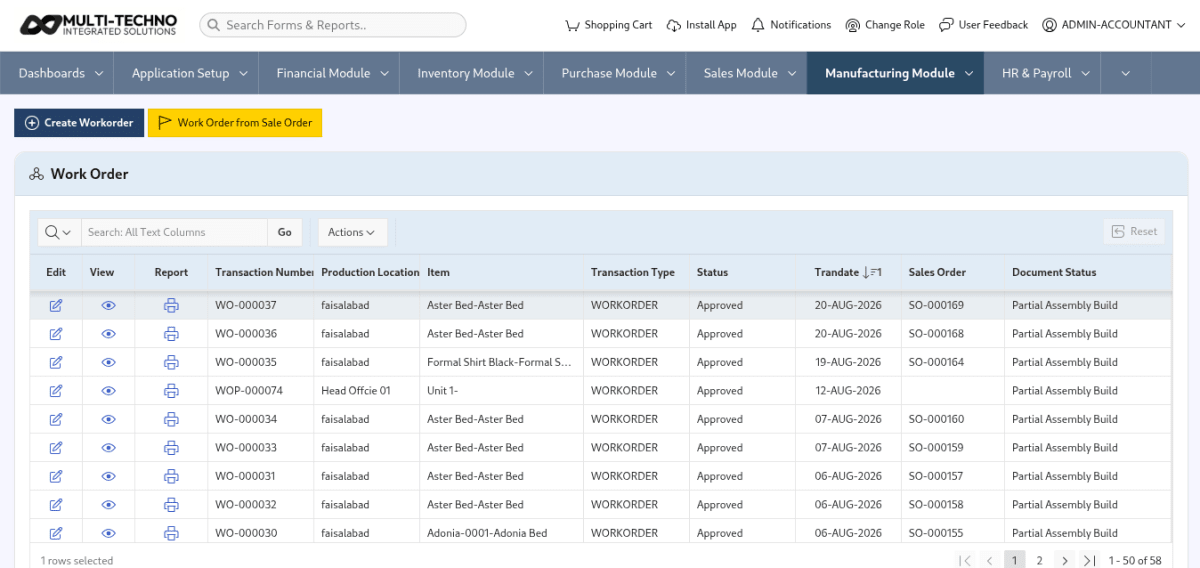
Multi-Techno supports discrete and process work orders, depending on the manufacturing method. Its manufacturing workflow connects work orders with production setup, material planning and production tracking.
Step 4: Execute and Track Production
The product then moves through the defined operations.
Depending on the manufacturing type, production can include assembly build/unbuild, work progress and material consumption.
Step 5: Review Production Results
After production begins, reporting helps the team understand what happened across the defined route.
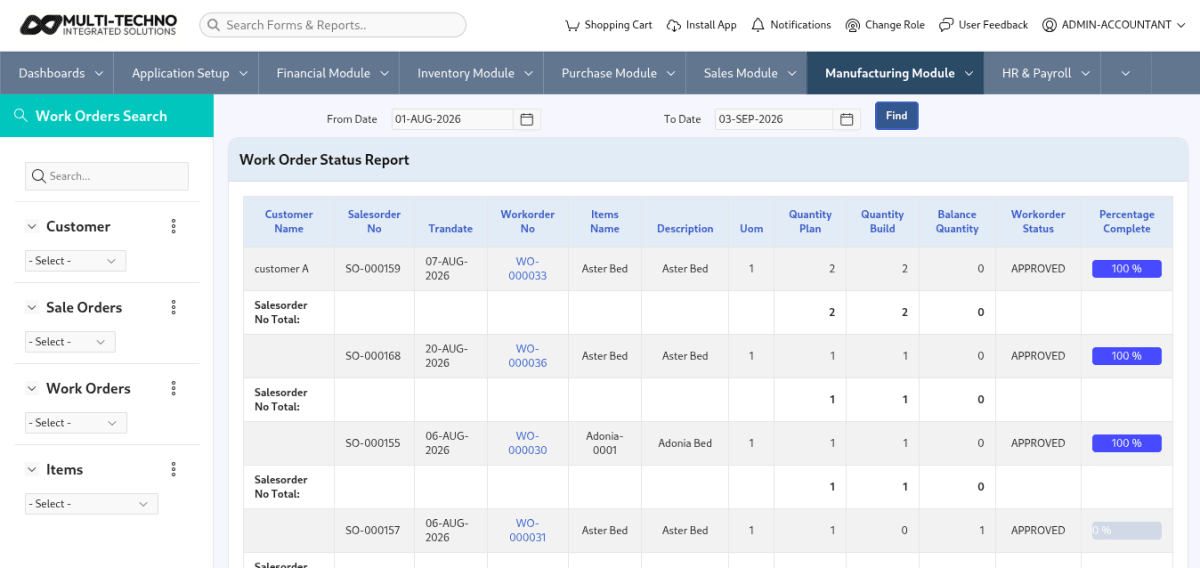
Multi-Techno includes work order status reporting, material planning reports, actual-vs-plan consumption reports, downtime reporting and route-wise production summaries.
What Route-Wise Production Reporting Can Tell You
Routing becomes considerably more useful when production data can be analyzed against the route that was defined.
Instead of only knowing that a work order is complete, management can ask:
Which production route was used?
How much production was completed?
Which route is being used for a particular product?
Where are production delays occurring?
How does actual consumption compare with the planned quantity?
Which operations need closer monitoring?
Multi-Techno's Production Management module includes Daily Production Route Wise and Route Production Summary reports, along with work order, material planning, consumption and downtime reporting.
What Happens When Routing Is Not Clearly Defined?
When production steps are not properly documented or connected to the production system, teams can end up relying on spreadsheets, verbal instructions or manually maintained production sequences.
That can create problems such as:
Operators following different sequences
Production planning becoming difficult
Work centers being assigned inconsistently
Machine utilization becoming harder to track
Production delays becoming difficult to trace
Work orders lacking clear operational instructions
Actual production data becoming harder to compare with the planned process
The problem is not simply that the factory lacks a routing document.
The bigger issue is that the production sequence is not connected to the rest of the manufacturing workflow.
Manufacturing Routing for Different Production Processes
Not every manufacturing environment uses routing in exactly the same way.
Discrete Manufacturing
Discrete production generally involves identifiable units or assemblies moving through defined operations.
For example:
Cutting → Machining → Assembly → Inspection
Each operation can be associated with its relevant work center, machine and production activity.
Process Manufacturing
Process manufacturing can involve continuous or batch-oriented production where work progress and material consumption are central to the production process.
Multi-Techno supports both discrete and process manufacturing workflows within its Production Management module.
The routing structure therefore needs to reflect the actual manufacturing method instead of treating every production environment as identical.
Manufacturing Routing in Textile and Other Industries
Routing becomes particularly interesting when production involves several connected stages.
For example, a textile manufacturing process may move through different preparation, processing and finishing stages before the final product is ready.
The sequence, equipment and production requirements can vary depending on the product being manufactured.
For businesses with industry-specific production requirements, textile manufacturing ERP can provide a more relevant starting point for understanding how ERP functionality is adapted to a particular manufacturing environment.
The same principle applies to other industries: the ERP should represent the actual production process rather than assuming that every manufacturer operates the same way.
How Routing, Inventory and Production Work Together
Routing describes the production operations, but those operations also depend on materials being available at the right time.
A typical workflow can therefore look like:
Purchase / Material Availability
↓
Inventory
↓
BOM
↓
Routing
↓
Work Order
↓
Production
↓
Finished Goods
Multi-Techno's inventory system manages stock movements, material issues and returns, costing, LOT/batch balances and inventory reporting, which provides the material-side connection needed around production. This connected approach is part of the broader manufacturing ERP workflow.
You can review the inventory management side of the ERP separately to understand how stock movement connects with the manufacturing process.
How to Check Whether Your Manufacturing Routing Is Ready for ERP
Before configuring routing in an ERP, make sure the actual production process is clear.
Routing Readiness Checklist
Every major production operation has been identified.
Operations are arranged in the correct sequence.
Each operation has a responsible work center.
Required machines or resources are identified.
Processing time requirements are understood.
The BOM matches the product being manufactured.
Material availability can be checked before production.
Work order requirements are defined.
Production reporting requirements are clear.
The ERP can represent different routes for different products where required.
If several of these points are unclear internally, the ERP implementation should not begin by simply copying an existing spreadsheet. The production process itself needs to be understood first.
What to Look for in Manufacturing Routing Software
If you are evaluating manufacturing routing software, look beyond whether an ERP simply has a field called “Routing.”
The more useful questions are:
Can it define actual production sequences?
The system should allow production teams to represent the operations that actually happen on the floor.
Can operations connect with work centers and machines?
A routing should provide more context than a numbered list of steps.
Can routing work with BOMs and work orders?
The production structure becomes much more useful when materials, operations and production requirements are connected.
Can the system support different manufacturing methods?
A manufacturer may need different workflows for discrete and process production. Routing also needs to fit into the wider production planning and scheduling process rather than operating as an isolated setup.
Can management report on the production route?
Route-wise reporting, work order status, consumption and downtime can help turn routing data into operational visibility.
Can the system adapt as production changes?
Products, machines and production methods change over time. Routing should therefore be maintainable rather than treated as a permanent static template.
For manufacturers looking at a broader manufacturing processes and ERP structure, Multi-Techno's manufacturing solution connects production planning, BOMs, routing, work orders, material availability and production reporting within one workflow.
The Difference Between BOM and Routing
It is easy to confuse these two because both are part of manufacturing setup.
BOM | Manufacturing Routing |
|---|---|
Defines materials and components | Defines production operations |
Answers “What is required?” | Answers “How is it produced?” |
Contains quantities | Contains sequence and operations |
Supports material planning | Supports production execution |
Connects to material requirements | Connects to work centers, machines and work orders |
A manufacturer normally needs both.
A BOM without an operational route does not fully describe how production should happen.
A routing without the required material structure does not fully describe what is needed to make the product.
Together, they provide a more complete production definition.
Why Manufacturing Routing Matters in an ERP
The real value of manufacturing routing is not simply having a list of production steps inside the ERP.
Its value comes from connecting that sequence to the rest of the manufacturing operation.
A properly structured routing can help connect:
Product → BOM → Operations → Work Centers → Machines → Work Order → Production → Reporting
That gives production teams a common structure for planning and executing work.
It also gives management a better basis for understanding what is happening across production rather than depending on disconnected spreadsheets and manually maintained process information.
The most useful routing structure is therefore not the one with the most fields.
It is the one that accurately represents how your factory actually produces something.
Frequently Asked Questions
What is manufacturing routing in ERP?
Manufacturing routing in ERP defines the sequence of operations required to manufacture a product, including the work centers, machines or resources involved in each production stage.
What is the difference between a BOM and manufacturing routing?
A BOM defines the materials, components and quantities required for a product, while routing defines the production operations and sequence used to manufacture it.
What is a work center in manufacturing?
A work center represents a production area, group or operational resource where a manufacturing activity is performed. It can be associated with specific machines or production resources.
How does routing connect with work orders?
A work order brings a production requirement into execution, while the routing provides the operational sequence that the work order follows during production.
Can manufacturing routing be different for different products?
Yes. Different products can require different production operations, machines, work centers or sequences, so routing structures may need to vary according to the actual production process.
What is route-wise production reporting?
Route-wise production reporting provides visibility into production activity according to the defined production routes. It can help teams review production output and route-level performance.
Why should manufacturing routing connect with BOM?
The BOM defines what materials are required, while routing defines how those materials are processed. Connecting both provides a more complete structure for production planning and execution.
What should I look for in manufacturing routing software?
Look for the ability to define production sequences, work centers and machines, connect routing with BOMs and work orders, support the required manufacturing method, and provide useful production reporting.
See Your Actual Production Process in ERP
Your factory already has a production sequence. The question is whether your ERP can represent it accurately.
If you want to see how routing, work centers, machines, BOMs and work orders can be connected around your actual manufacturing process, book a Multi-Techno ERP Demo and discuss your production workflow with the team.