Is Your Current Software Enough for Metal Fabrication?
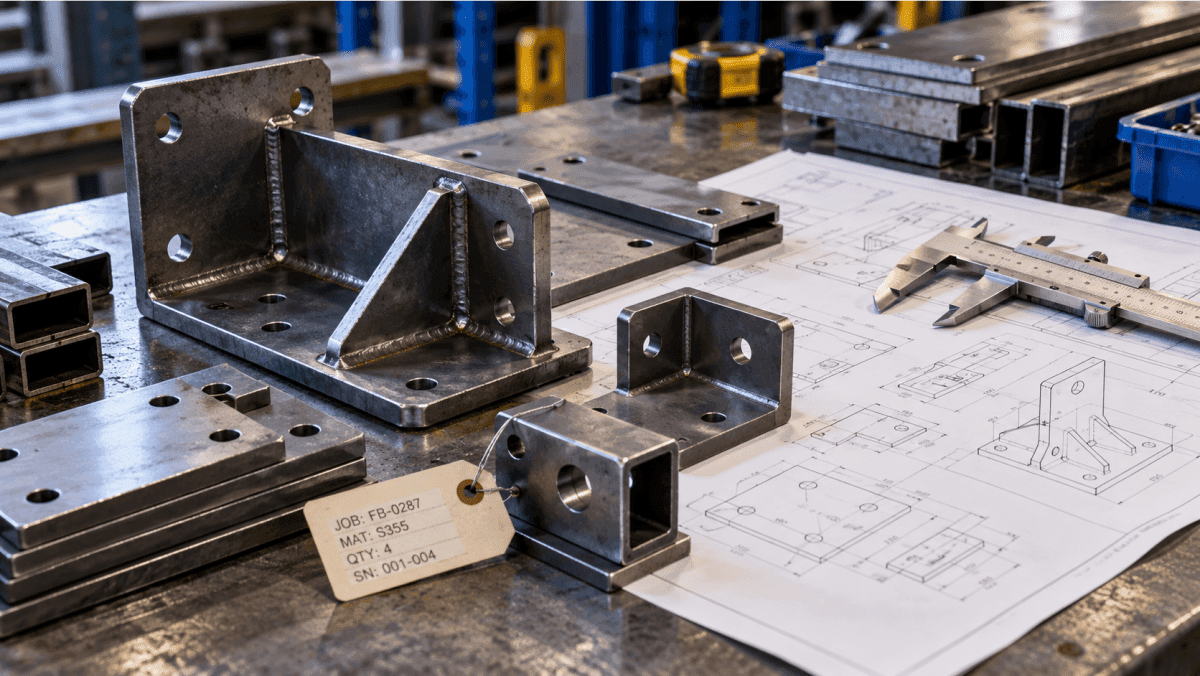
Metal fabrication businesses often begin with a straightforward combination of accounting software, spreadsheets and inventory records. For a small operation handling a manageable number of orders, this setup may be enough. Employees know where materials are stored, production teams understand the usual workflow, and managers can get answers by speaking directly with the people involved.
As the business grows, however, the same approach can become harder to maintain.
A single customer order may require several types of raw material, multiple production operations, purchasing from different suppliers and coordination between the warehouse and shop floor. Sales needs to confirm delivery dates, purchasing needs to secure materials, production needs to understand the work required, and management needs reliable cost and inventory information.
When these activities are recorded in separate systems, even a routine order can require several manual checks before the business knows what is happening.
This is where metal fabrication ERP software becomes worth evaluating. The objective is not simply to replace spreadsheets with a more advanced application. It is to determine whether your software can connect material availability, purchasing, production activity and business reporting in a way that supports the operation you actually run.
When Does Existing Software Become a Problem?
There is no fixed business size at which every metal fabricator needs an ERP system. The more useful indicator is the amount of effort required to keep information accurate and make routine decisions.
Inventory figures do not reflect production requirements
Knowing the quantity of steel, sheet metal, plates, tubes or other materials in stock is useful, but it does not answer every operational question.
A warehouse may have material available on paper, while some of that stock has already been allocated to existing orders. Other material may be awaiting inspection, located in another warehouse or already issued to production.
If employees must check several spreadsheets, contact the warehouse and ask production supervisors before confirming availability, the business may have a visibility problem rather than a simple stock-counting problem.
An effective inventory management system should help employees maintain consistent records of stock movements, transfers, costing and inventory balances. For a fabricator, the next question is whether these records can support the material requirements of production orders.
Production status is difficult to confirm
A customer order may be confirmed, but that does not mean the work is progressing as expected. Depending on the product, a job could involve cutting, bending, machining, welding, finishing, assembly or inspection.
If production progress is maintained through verbal updates or separate files, management may not know that an order is delayed until the delay affects dispatch or a customer commitment.
This is one reason to assess production management software alongside inventory and purchasing. The system should be evaluated on how it handles work orders, production stages and the operational information your supervisors need—not simply whether it has a production module.
Employees repeatedly enter or reconcile the same information
Disconnected applications often create duplicate work. An order may be entered into an accounting system, copied into a production spreadsheet and then referenced separately by the warehouse.
When a quantity or delivery date changes, each record may need to be updated manually. If one update is missed, different departments can end up working with different versions of the same order.
A connected manufacturing ERP system aims to bring relevant functions together so that business transactions and operational records can be managed through a more consistent workflow.
Management cannot get useful reports without manual work
Managers need more than a total stock value or a monthly sales figure. Depending on the business, they may need to understand material availability, open production orders, purchasing requirements, manufacturing costs and finished-goods inventory.
If producing a useful report means combining data from several files every time, the reporting process itself becomes a bottleneck.
Before replacing existing software, identify which reports are difficult to produce and why. The issue may be missing data, inconsistent processes or a genuine limitation in the current applications. Understanding that difference will help you make a better software decision.
What Should Metal Fabrication ERP Software Help You Manage?
Metal fabrication covers different business models. A steel service centre processing and distributing material has different requirements from a job shop producing customer-specific components or a manufacturer building finished metal assemblies.
The right software should reflect these differences instead of forcing every operation into an identical workflow.
1. Material availability and purchasing
Material decisions affect both production continuity and cash flow. Buying too little can delay an order, while purchasing more than the business needs can tie up money in stock.
A useful system should help the team maintain reliable inventory records and understand which materials need to be purchased, transferred or made available for upcoming work. Purchasing records should also provide a clear view of supplier transactions and incoming material.
For example, if a new order requires a quantity of steel plate that is not currently available, employees should be able to investigate the stock position and purchasing requirements without reconstructing the information from unrelated records.
The precise planning functions available will vary by software, so confirm how the system handles your materials, warehouses and order requirements.
For a closer look at the warehouse side of this problem, see how ERP can improve manufacturing warehouse efficiency.
2. Bills of materials and production requirements
A Bill of Materials (BOM) defines the materials, components and quantities required to manufacture a product or assembly. For businesses producing repeatable products, it provides a structured basis for understanding material requirements.
Consider a fabricated metal cabinet. Depending on its design, the BOM might include steel sheets, fasteners, hinges and other components. The quantities recorded in the BOM help define what is required before production begins.
However, a BOM is only useful when it reflects the product being made. If material specifications or quantities are outdated, purchasing and production decisions may be based on incorrect information.
When evaluating fabrication ERP software, check whether it can maintain the product structures your business needs and connect them with production and material planning. Our article on how a Bill of Materials improves manufacturing costing accuracy explains why this foundation matters.
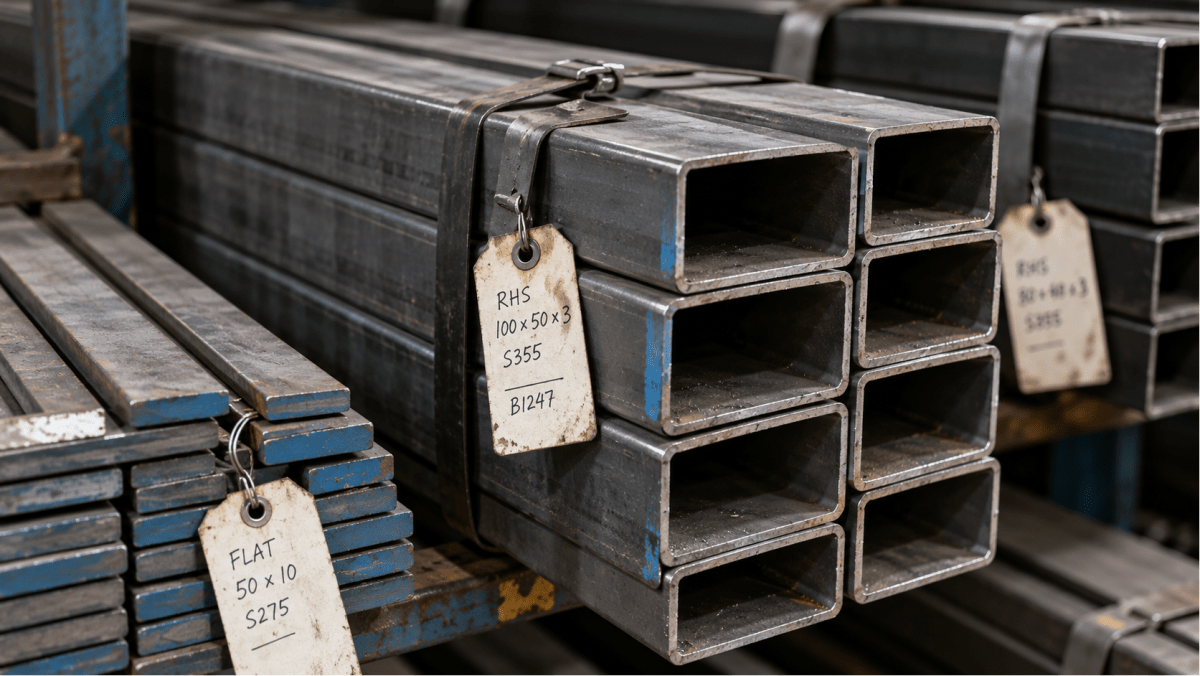
3. Production routing and work orders
Not every metal product follows the same manufacturing sequence. One job may require cutting, bending and welding, while another may involve machining, assembly and inspection.
Manufacturing routing defines the operations and sequence required to produce an item. Work orders bring production requirements into the execution process, while work centres and machines help represent the resources involved where the system supports them.
This distinction matters when a factory handles multiple product types. If every job is tracked through a generic status such as “in production,” managers may have limited visibility into which operation is complete and what still needs attention.
Evaluate whether the software can represent the production stages relevant to your operation and maintain useful work-order records. You can read more about manufacturing routing and how it maps the real production process.
4. Material consumption and production records
Stock issued to a production order and the material actually consumed during production are related, but they are not necessarily the same thing.
A business needs to understand how material moves from inventory into production and how those transactions are recorded. The level of detail required will depend on the manufacturing process, the materials used and the reports management expects.
For example, a fabricator may want to review material issued against a work order and compare the recorded consumption with the original requirement. Before selecting a system, establish which consumption records it supports and whether they match the way your production team works.
This is particularly important when comparing systems designed for different manufacturing models. The article how to track material consumption in process manufacturing ERP discusses the connection between production progress and material usage in a process-manufacturing context.
5. Cost and operational reporting
A fabrication business needs to understand the financial implications of its work, but the required level of costing differs from one operation to another.
Some businesses primarily need inventory valuation, purchasing costs and general manufacturing cost reports. Others may require more detailed comparisons between estimated and actual costs for individual jobs, including specific labour or outside-processing expenses.
Do not assume that every system offering manufacturing functionality supports the same level of job costing. Ask the provider to demonstrate the cost records and reports available for your particular production model.
Use a real example from your own operation. If you want to understand the cost of a completed order, identify which material, production and financial records must be available to answer that question. Then ask the provider to show how the proposed system handles those records.
Why Connecting Departments Matters More Than Buying More Features
A long feature list does not necessarily indicate that a system will improve a fabrication business. The more important question is whether the relevant functions work together around the same orders and transactions.
Follow one customer order through the business
Imagine that a customer orders a batch of fabricated components with a specific delivery date.
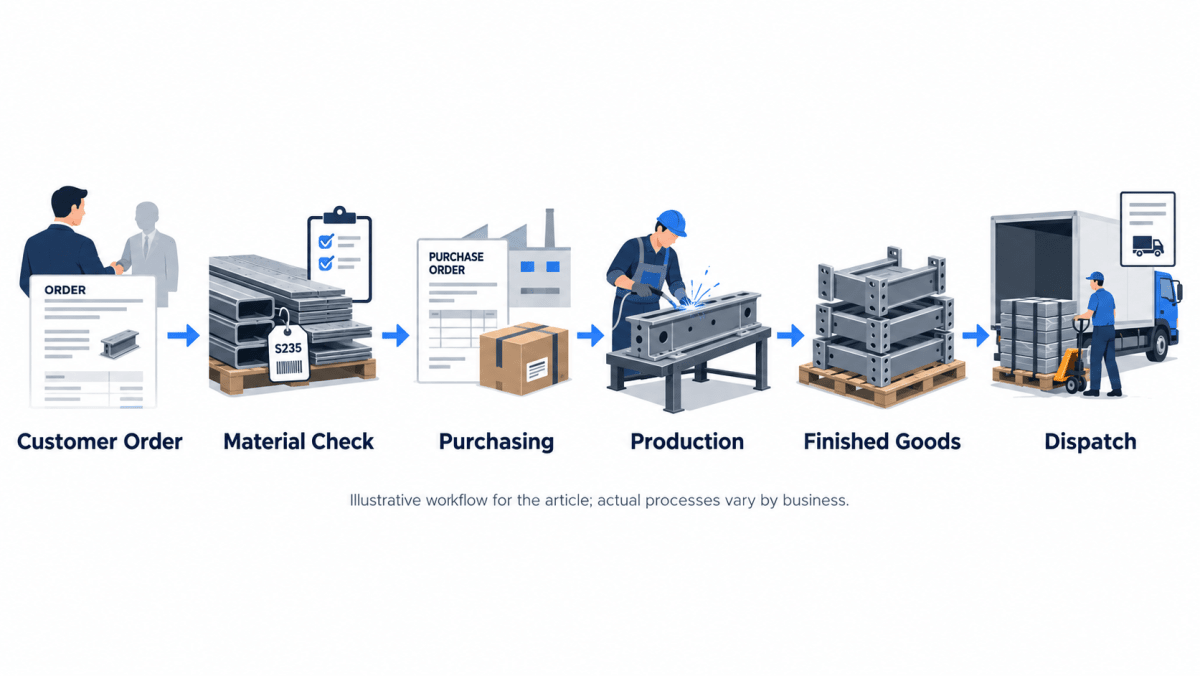
First, sales records the order. The business then needs to establish which materials are required and whether the available stock is sufficient. If material is missing, purchasing must arrange the supply. Production needs the relevant requirements and work-order information, while the warehouse eventually needs to record the finished output and dispatch.
If these activities are disconnected, employees may need to repeat checks and manually transfer information between departments. A change to the order can create additional work because several records need updating.
A connected ERP workflow can provide a common operational record across the relevant functions. The exact degree of integration depends on the product and its configuration, which is why demonstrations should follow your actual order process rather than rely entirely on standard presentations.
Identify process problems before investing in software
Software cannot automatically correct every operational weakness. Inconsistent material records, unclear responsibilities and poorly defined production procedures can continue to cause problems after a new system is introduced.
The US National Institute of Standards and Technology's Manufacturing Extension Partnership explains that value stream mapping can help manufacturers visualise material and information flows, identify waste and find opportunities to improve lead times.
For a fabrication business, this could mean mapping how a customer order moves from sales to purchasing, production, finished-goods inventory and dispatch. The exercise can reveal where information is lost, where approvals cause delays and where employees rely on manual workarounds.
That gives the business a more useful starting point for software selection: solve the problems that actually affect its operation instead of buying features based on assumptions.
How to Evaluate ERP Software for Metal Fabrication
Once the main problems are clear, compare potential systems against real business requirements. A practical evaluation should cover more than the number of modules or the appearance of a demonstration.
Check whether the system fits your production model
Start by describing the work your business performs. Does it mainly trade and distribute steel, process material to order, manufacture repeat products or produce customer-specific assemblies?
These operations can overlap, but their requirements are not identical. A business focused on high-volume stock movement may prioritise warehouse and procurement visibility, while a manufacturer handling complex production orders may place greater emphasis on BOMs, routing and work-order tracking.
Ask the provider to demonstrate the workflow that most closely resembles your operation.
Test the software with actual business scenarios
Prepare examples from your own records before arranging a demonstration. Ideally, include a completed job, an active order and an order that experienced a material shortage or production delay.
Ask the provider to show how the system would handle each example. Check what information is entered, how transactions are recorded, which departments can access the resulting records and what reports can be produced.
A demonstration based on your own scenarios will usually reveal more than a general presentation of standard features.
Verify integration and reporting requirements
Ask how inventory, purchasing, production and accounting exchange information. Clarify whether the functions you need are included in the proposed setup, require configuration or depend on additional development.
Also identify the reports your managers use to make decisions. If a critical report cannot be demonstrated, ask what data it requires and how it would be produced.
Avoid relying on broad promises such as “everything is integrated” without seeing the relevant workflow in action.
Understand implementation, customisation and support
Implementation involves more than installing software. Existing records may need cleaning, employees need training, and business processes may need to be clarified before the system can be configured effectively.
For a fabricator with specialised workflows, ask which requirements can be handled through standard functionality and which would require customisation. Clarify the expected implementation process, responsibilities, support arrangements and any additional costs.
A configurable system can be valuable when your processes differ from standard workflows, but customisation should address a genuine business requirement rather than add complexity without a clear benefit.
When Should You Replace Your Current Software?
Not every fabrication business needs to replace its existing setup immediately. If your current tools provide dependable inventory records, support production requirements and generate the reports you need, a major software change may not be justified.
However, a review becomes more important when recurring problems begin to affect daily operations.
Signs that an ERP review is worthwhile
Consider evaluating alternatives if:
Employees regularly combine spreadsheets to confirm material availability.
Production managers cannot obtain reliable work-order status without contacting several people.
Changes to customer orders are difficult to reflect consistently across departments.
Purchasing decisions depend on incomplete or outdated stock information.
Management spends substantial time preparing reports manually.
Your current applications cannot exchange the information required to manage orders effectively.
These signs do not automatically prove that you need a new ERP. First, determine whether the problem comes from poor data quality, unclear procedures, insufficient training or limitations in the existing software.
If the underlying issue is that separate tools cannot support the workflow your business needs, an integrated system deserves closer consideration.
Is Your Current Software Enough for Metal Fabrication?
The answer depends on how well your existing setup supports the work your business performs today—and whether it can accommodate the requirements you expect to face as the operation grows.
For some businesses, improving inventory procedures and standardising production records may be enough. For others, the main problem is the lack of connection between purchasing, stock, production and reporting. Recognising that difference is the first step towards choosing the right solution.
Multi-Techno offers ERP functionality covering manufacturing, inventory, purchasing and related business operations. Its ERP solution for the steel industry is designed around workflows that include procurement, inventory, production or processing, quality control, sales, dispatch and reporting.
Whether it is suitable for your business depends on your materials, production methods, reporting requirements and need for customisation. Evaluate those requirements directly rather than assuming that every feature will be relevant to every metal fabricator.
Start by documenting your current workflow, identifying the problems that create the greatest disruption and selecting a few real orders to use during software demonstrations. That process will help you decide whether your existing software is still enough—or whether metal fabrication ERP software could provide a more suitable foundation for the next stage of your business.
If you are reviewing your current setup, contact Multi-Techno to discuss your manufacturing workflow and assess whether its ERP capabilities fit your requirements.